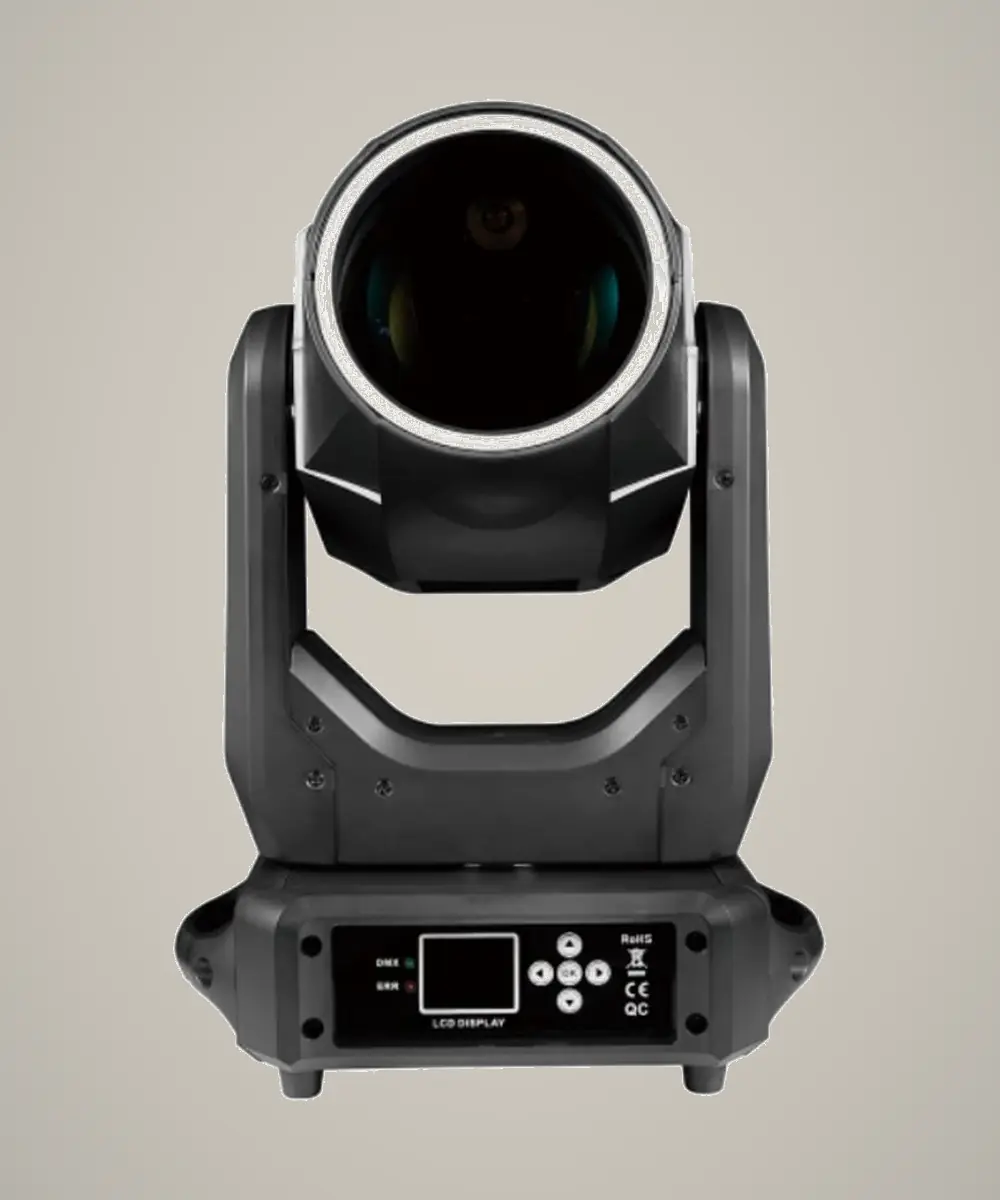
MINI275
Product photography is ready. The parameter file in this folder matches CL1940Z and is not yet verified for this model; technical data will be published after datasheet confirmation.
| Light source | Datasheet pending |
|---|---|
| Optical system | Professional LED Fixture |
| Zoom range | Datasheet pending |
| Color system | Datasheet pending |
| DMX channels | Datasheet pending |
| Control | Datasheet pending |
| IP rating | Datasheet pending |
The parameter text in the MINI275 media folder describes CL1940Z. Verified MINI275 specifications are required before publishing.
Product questions
What type of fixture is MINI275?
MINI275 is a Professional LED Fixture. Product photography is ready. The parameter file in this folder matches CL1940Z and is not yet verified for this model; technical data will be published after datasheet confirmation.
What light source does MINI275 use?
The published light-source specification for MINI275 is Datasheet pending.
What is the IP rating of MINI275?
The published protection rating for MINI275 is Datasheet pending. Confirm installation conditions and the latest production specification with iTOPLITE before use.
What beam or zoom range does MINI275 provide?
The published optical range for MINI275 is Datasheet pending.
Which DMX channel modes does MINI275 support?
The current product record lists Datasheet pending. Contact iTOPLITE for the latest DMX chart and firmware-specific documentation.
Where is MINI275 typically used?
Recommended applications include Beam. Final fixture selection should account for throw distance, required output, control plan and environmental conditions.
Planning with MINI275
Overview
MINI275 is a professional led fixture in the Beam range. Its published light-source specification is Datasheet pending, the optical record lists Datasheet pending, and the enclosure rating is Datasheet pending. The available control record lists Datasheet pending. These values describe the current product record and should be checked against the production version offered for a project. Selection should begin with the required visual task and site conditions rather than one headline value.
Where it is used
The product category is intended for professional stage-lighting work. In a real design, each application changes the priorities. Touring teams may focus on handling, repeatable setup and control-library consistency. Fixed installations may give more weight to access, operating cycles and planned maintenance. Outdoor work also requires compatible connections, distribution and procedures; the fixture rating does not protect unrelated parts of the system.
Reading the specifications
The Datasheet pending optical specification should be evaluated at the actual throw distance and target size. Request photometric data or test a production-representative sample when beam coverage or camera exposure is critical. The published Datasheet pending rating describes enclosure protection under defined conditions, not permission to ignore mounting orientation, seals, connectors or severe-weather decisions. The Datasheet pending control entry identifies the available channel footprint; obtain the current DMX chart and match it to the intended firmware and console profile.
The light-source entry, Datasheet pending, is not by itself a circuit-load calculation. Use the complete input-power and supply data in the specification table when planning distribution. Include clamps, safety devices, cables, cases and accessories when reviewing rigging and logistics. If a required value remains marked as pending, keep it as an approval item and obtain written confirmation before ordering.
Project and purchasing review
Prepare a short requirement sheet covering application, environment, mounting, throw, control, supply, required documents, accessories, quantity, spares and delivery scope. Compare alternatives at the same operating conditions. A feature is valuable only when it supports a real cue, reduces project risk or improves operation. Do not infer price, certification, warranty or performance that is not present in the approved record.
Before accepting production, confirm model identity, external condition, included accessories and control behavior. Run movement and optical functions through the modes the project will use, record the result and update the as-built patch. Keep the final data sheet, DMX chart and service contacts with the asset record so operators and technicians can trace the basis of the selection.